If you're heading to Walt Disney World Resort in Florida soon, a MagicBand+ makes for a fantastic addition to your holiday. It's your park entry, your PhotoPass connection, and (if you're staying on-site) your Disney Resort hotel room key, all in one wristband.
Here's exactly how to set it all up:
What is a MagicBand+?
MagicBand+ is Disney's current wearable device for accessing your holiday plans around Walt Disney World Resort. Tap it at a touch point and, once it's linked to your account, it can be used to enter the parks (with valid admission), unlock your Disney Resort hotel room, check in at Lightning Lane entrances, connect your Disney PhotoPass images, and make purchases charged to your room.
Don't have a MagicBand+, or prefer not to wear one? You can do all of the same things from your phone using Disney MagicMobile Service, which adds your ticket to your phone's digital wallet.

How to link your ticket and MagicBand+
- Create or sign into your My Disney Experience account, either on the Walt Disney World Resort website or in the My Disney Experience app.
- Link your ticket to your account. In the app or on desktop, look for "Tickets & Passes" and follow the prompts to add your ticket using its reference number.
- Link your MagicBand+ to the same account. Power on your MagicBand+ by pressing the button on the back, then tap it to your phone and follow the prompts in the app. Alternatively, open the app's menu, select "Link to Account", then "Link MagicBand or Card", and enter your band's ID number when asked.
- Assign the MagicBand+ to the right person if you're setting up bands for the whole family, then confirm.
Once your ticket and your MagicBand+ are both linked to the same My Disney Experience account, your band is ready to use as your park admission.
Using your MagicBand+ or MagicMobile
Once everything is linked, you can use your MagicBand+ (or your phone via MagicMobile) to:
- Enter the Walt Disney World Resort theme parks, with valid admission
- Check in at Lightning Lane entrances
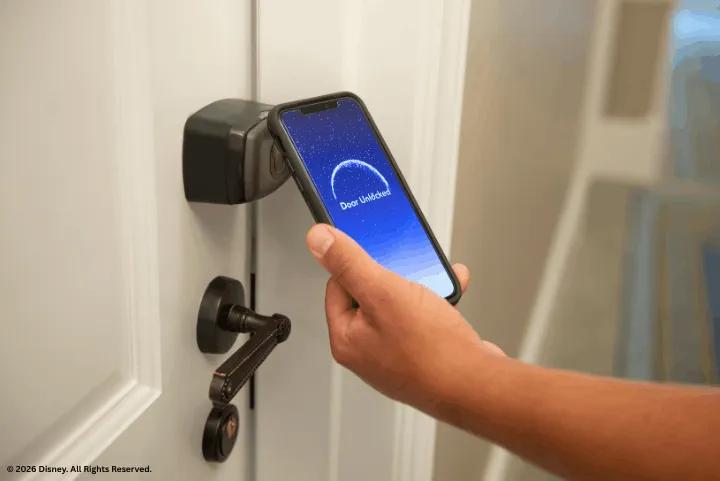
- Unlock your Disney Resort hotel room door, if you're staying on-site
- Connect Disney PhotoPass images to your account automatically
- Charge food and merchandise purchases to your room, if enabled
Everything you've linked, from tickets to Lightning Lane selections, can be tracked and managed through the My Disney Experience app throughout your holiday.
Ready to book? Browse our Walt Disney World Resort in Florida park tickets now.